1. PURPOSE
This document outlines how Cloudica™, a monitoring software used by remote teams, demonstrates alignment with the principles of the Data Privacy Act of the Philippines. It explains what data is captured, how it is transmitted, who can access it, and the safeguards built with privacy‑by‑design to enable users to protect their own privacy as they choose.
2. DATA CAPTURE
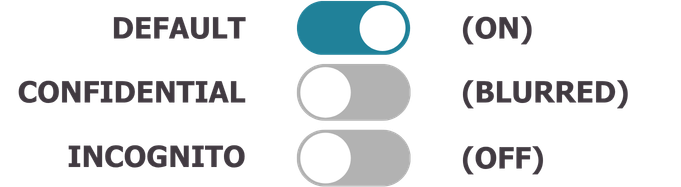
Users can switch states at any time. They can disable the webcam or microphone if permitted by managers.
Critical Transparency Feature
Users see the data at the moment it is captured and uploaded. This is not delayed to the end of the day or even five minutes later; it is nearly instantaneous, similar to a live chat feed.
The application automatically shuts down after 30 minutes of idle time and pauses immediately if the computer enters Sleep Mode.3. TRANSMISSION & STORAGE
Data is encrypted in transit (TLS 1.3) and at rest (AES‑256).
Pattern Recognition: This data is used to develop models that distinguish between "Deep Work" and "Productivity Theater" (e.g., mouse-jigglers), ensuring the owner has an accurate view of genuine work.
4. ACCESS HIERARCHY
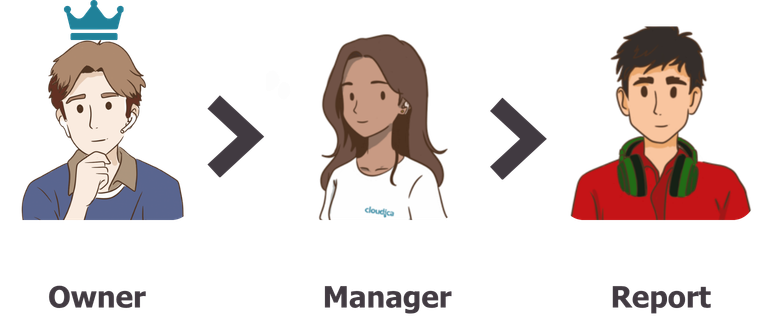
Developers may access data for system maintenance, bound by NDA. Access is limited to necessary roles. Audit Trail: Every access to the dashboard is logged (IP address and page visit) for accountability. Reciprocal Transparency: Users see a Live Feed of their data. When a manager views a user’s dashboard, the user receives an instantaneous real-time indicator. 5. User Consent & Awareness
On installation or account verification, users complete a permission walkthrough.
Each permission clearly states what data will be captured.
Camera and microphone permissions can be skipped if allowed by managers.6. AUDIT & ACCOUNTABILITY
New server architecture logs page visits and IP addresses, creating an audit trail.
Users see real‑time indicators when managers view their data. This feature is available in the dashboard application
7. SAFEGUARDS
Keystrokes masked in Confidential mode.
Screenshots blurred with Gaussian blur.
Webcam snapshots blur backgrounds.
Audio detection limited to decibel checks, no content stored.
Automatic shutdown after a maximum idle period of 30 minutes.8. AI USE OF DATA
Current Development of AI features analyzes application usage only.
AI is housed internally, not exposed externally.
Sensitive categories (keystrokes, screenshots, snapshots) are under review for deletion from AI datasets.9. USER RIGHTS
Users may request deletion of their data at any time.
Requests are processed immediately via manager or direct email.
Cloudica™ provides transparency and control but company policies govern how monitoring states are enforced. 10. COMPLIANCE ALIGNMENT
Cloudica™ aligns with the Data Privacy Act principles:Transparency: Users see captured data instantly and know who is viewing it. Legitimate Purpose: Monitoring ensures productivity in remote work. Proportionality: Users can mask, blur, or disable capture features; retention policies are communicated. Security: Encryption, audit logs, and access controls protect data.
11. ADDITIONAL NOTES ON IDLE
Cloudica™ is engineered to prevent intrusive monitoring via a strict "Logic Gate" for inactivity: Trigger: Initiated only after 4 minutes of zero keyboard/mouse input. Visual Check: The camera verifies if a user is in front of the screen. If no user is found, the system flags the session as "Idle" and stops. Acoustic Pulse (Non-Recording): If a user is present, the microphone detects ambient decibels for a maximum of 30 seconds. It stops immediately upon detection. No audio file is ever captured, recorded, or stored.