How to Cancel My Licensed Account?

If you need to close your Cloudica™ workspace, account owners can delete the account directly from the Settings menu. Warning: Deleting your account is permanent and irreversible. Once deleted, all workspace data, team records, screenshots, and history will be erased and cannot be recovered. You will need to create a brand-new account if you decide to return. Steps to Cancel and Delete Your Account
  • Click your Avatar / User Menu icon in the upper-right corner of your web dashboard and select Settings
  • From the left sidebar panel, click Account Settings.
  • Find and click Delete Account on the right panel. 
  • If your account has an unpaid balance, a window will appear displaying the amount due. Click Pay Now to settle the balance. Once paid, you can proceed with the cancellation. 
  • Follow the final on-screen prompts to permanently delete your workspace.  
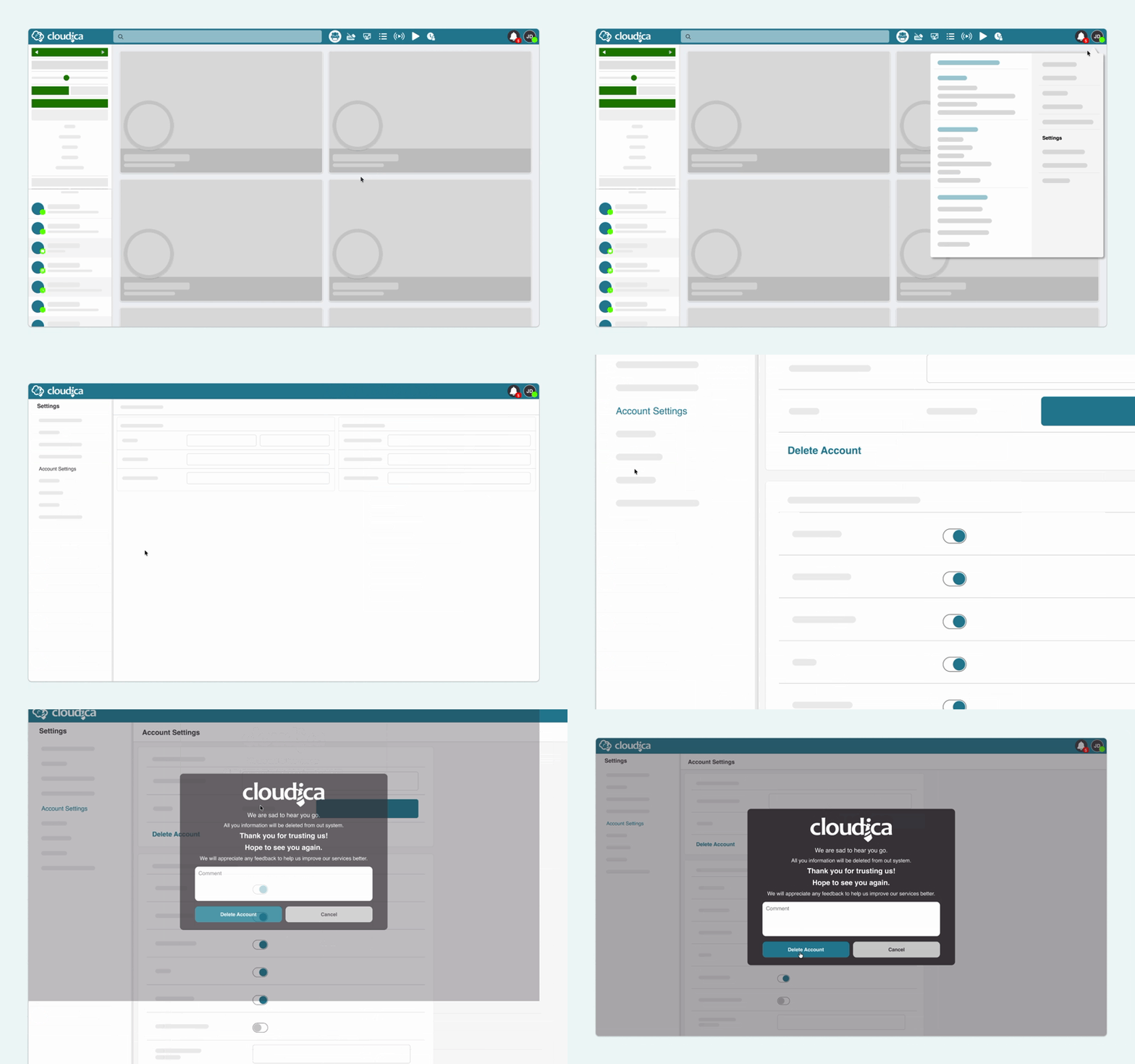
6a6aab1c0e4aadelete account.gif Permissions Note: Only the Account Owner has the authority to view account settings and delete the account. 
Copyright © 2025 Cloudica LLC